


Baby Games: Piano & Baby Phone
4.41.60K Reviews
App Specs
- Version
- Varies with Device
- Updated On
- License
- Free
- Downloads
- 50,000,000+
- Developer
- RV AppStudios
- Categories
- Educational
- Platform
- Android, iOS
Screenshots
 Analysis by AppCompare
So, I recently got my hands on Baby Games: Piano & Baby Phone, and let me tell you, this app is quite the gem for keeping the little ones entertained and engaged. As a parent, I’m always on the lookout for apps that are not only fun but also educational, and this one ticks both boxes.
What to expect on the first visit
I’d think of this as a small collection of toddler-friendly activities rather than a full lesson plan or a game with a long sequence to complete. The appeal is immediate: a child can explore a piano, pretend to use a phone, and encounter simple learning activities in a colorful, sound-led setting. That makes it easier to try during a short break than an app that asks a young child to follow several instructions before anything happens.
The game is free and made by RV AppStudios. It sits in the educational games category, has an Everyone age rating, and is currently at version 2.0.5. Its average rating is 4.5 from around 56,000 ratings, with more than 50 million installs. Those figures suggest it has reached a wide audience, but I’d still judge it by how your own child responds: toddlers vary a lot in what they find engaging, and a bright screen or lively sounds can be exciting for one child and too much for another.
A gentle way to get started
For a first session, I’d open the app with the child beside me and let them see the main activities before handing over the device. That gives me a chance to check the sound level, notice what catches their eye, and make the first few taps together. There’s no need to turn the visit into a test. A toddler who simply taps a piano key, watches it light up, and repeats the action has already found a clear cause-and-effect loop.
If you’re introducing a phone-shaped game, it can help to explain that this is pretend play on a screen, not a real call. I’d keep that distinction simple and natural, then follow the child’s lead. The goal is a relaxed first interaction, not getting through every activity in one sitting.
What’s the Buzz About?
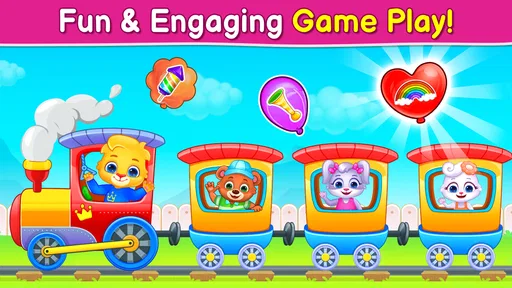
The app is designed to be a delightful experience for toddlers. It combines a virtual piano with a colorful baby phone, offering a range of interactive activities. The moment you open the app, you’re greeted with vibrant colors and playful sounds that instantly grab the attention of kids. It’s like having a mini concert and a phone call with cartoon animals all at once!
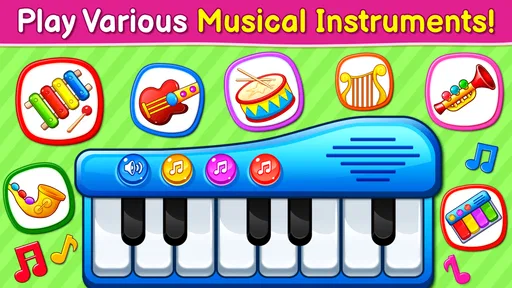
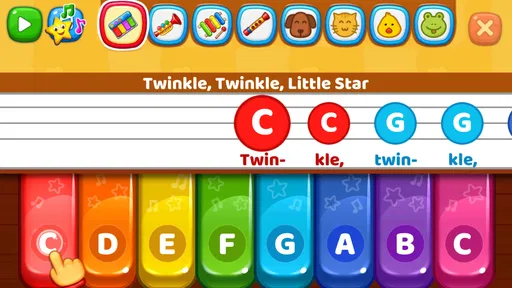
The piano portion allows kids to tap away and create their own tunes. What’s neat is that the keys light up, making it visually stimulating and encouraging them to keep playing. It’s a fantastic way for children to explore music without any pressure.
Worth Reading Before You Choose

Flipboard Shows What News Apps Must Do Beyond the Feed

Switching to Android Auto Means Rethinking Your Driving Routine

Google Calendar Makes a Crowded Week Easier to Manage

Ludo King Makes the Most of the Minutes Between Plans

Baby Panda World Brings Quick Play to Modern Phones, but Its Game Library Feels Busy

ESPN’s Live Game View Makes Following Close Games Easier
Finding a first successful action
A useful first goal is modest: invite your child to tap one key, listen, then try a different one. The light-up response gives a visual cue as well as a sound, so even a child who is not ready to follow spoken directions can understand that touching the screen makes something happen. I’d avoid trying to steer every tap into a song. Free exploration is part of the appeal, and the activity works best when the child can experiment without worrying about getting a tune right.
For a slightly more deliberate play moment, you can name what you notice together: “That one sounds higher,” or “You tapped the bright key.” Keep it conversational rather than turning it into a quiz. This is a practical way to share the screen instead of using the game only as a distraction, and it leaves room for the child to decide when they have had enough.
Features That Stand Out
One of the standout features of Baby Games: Piano & Baby Phone is its simplicity. The interface is intuitive, so even the youngest users can navigate without much fuss. The app is jam-packed with cute animations and sound effects that mimic real-life animals and objects, providing a rich sensory experience.
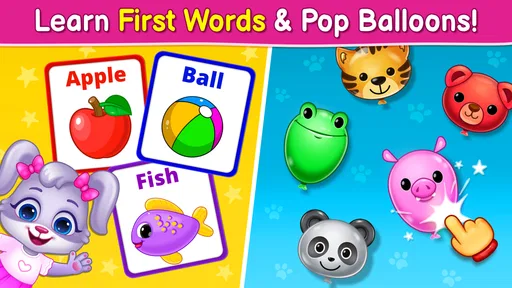
Another highlight is the educational aspect. The app includes mini-games that teach numbers, colors, and shapes. It’s a sneaky way to introduce learning while they’re having a blast. Plus, the positive reinforcement with cheerful sounds and animations when they get something right is a great motivator.
Making the learning activities feel natural
I’d use the number, color, and shape activities as prompts for a short back-and-forth, not as proof that a child has learned a concept after one session. If a color appears, you can connect it to something nearby, such as a cup or toy, and then let the child return to tapping. That little link between the screen and the room makes the activity feel more grounded without requiring extra equipment or a formal routine.
One trade-off with bite-sized learning games is that they can invite quick tapping rather than patient attention. If your toddler rushes through, it may help to pause and point to one item at a time, or to stop when interest fades and try again another day. I wouldn’t expect the app alone to teach early concepts; it works better as a playful nudge alongside talking, reading, and hands-on play.
When the pretend phone is the main attraction
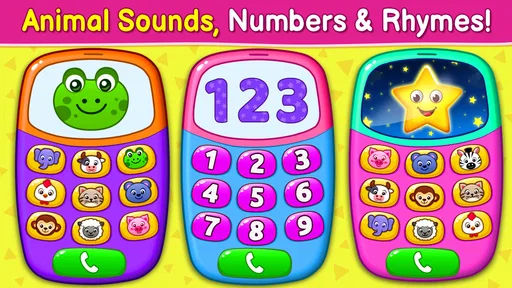
If your kiddo is anything like mine, they’ll love the phone feature. It’s designed to resemble a real phone, complete with funny ringtones and adorable animal characters on the other end of the line. It’s hilarious to watch them have pretend conversations with a panda or a puppy!
This part may be especially useful when a child already enjoys role-play, since it gives them a familiar-looking object and a simple reason to make sounds or respond. I’d join in briefly by asking who they’re calling or what the animal might say, then let them take over. For a child who is not interested in pretend calls, there is no need to insist: the piano or learning activities offer a different way in.
How it fits into an ordinary day
I can picture using it while waiting for an appointment, when a toddler is getting restless and a few minutes of focused play would help. I’d sit nearby, offer the piano first, and let the child choose whether to move to the phone or a mini-game. The activity is short enough to fit a waiting-room pause, while the animal sounds and animated responses give the child something to react to together with an adult.
The app doesn’t require an internet connection, so it can also be a handy option for a car ride or another place where connectivity is unreliable. I’d still treat it as one small part of the trip rather than the whole plan: a screen can occupy a child for a while, but it won’t replace a snack, a stretch, or a change of activity when they are tired. A useful habit is to decide on a natural stopping point before opening it, such as the end of a wait or the arrival at your destination.
What may frustrate parents or children
The same bright visuals and playful sounds that catch a toddler’s attention may feel noisy if you need a quiet activity. I’d check the volume before handing over the device, especially in a waiting room or near someone who is sleeping. If your child is sensitive to lively sound or gets overstimulated by animated screens, keep the first session brief and watch their reaction rather than assuming that more activity is better.
It is also a simple toddler game, not a substitute for a dedicated music-learning app, a real toy phone, or a structured early-learning program. The piano invites exploration rather than teaching formal technique, and the mini-games are best treated as playful exposure to basic ideas. If your child wants a deeper musical challenge, or you want lessons with a clear progression, a more focused resource will be a better match.
Choosing it over familiar alternatives
Compared with handing a toddler a general video app, this game gives them actions to perform: tapping a key, reacting to a sound, or joining in pretend play. That can make it feel more interactive than passively watching clips. Compared with a physical toy piano, it is convenient to carry on a device and combines several kinds of play, but it cannot offer the tactile feel of real keys or the same chance to move around with a toy.
Against a standalone educational app, its advantage is variety: music, a pretend phone, and simple concept games sit together, so a child can switch activities without needing a new app. The trade-off is that it is less specialized. I’d choose it for an easy, mixed activity during a short break, and choose a physical instrument, books, or a focused learning tool when the aim is hands-on practice or more sustained teaching.
Who is likely to enjoy it most?
I think it is best suited to toddlers who like making sounds, touching colorful objects, and copying familiar everyday actions. It can also work for a caregiver who wants a simple shared activity without needing to explain complicated rules. The app’s free price makes it easy to try, though I’d still stay close during play and decide whether its style suits your child rather than relying on popularity alone.
I’d skip it if you are looking for a quiet, open-ended drawing space, a story that unfolds from beginning to end, or a game designed around measurable progress. It may also be a poor fit for a child who becomes frustrated by sound effects or who prefers physical objects to screen interaction. In those cases, a board book, a real toy instrument, or a calm offline activity may serve the moment better.
Keeping the first sessions comfortable
A small practical tip is to explore the different activities yourself before a busy moment, so you can guide your child directly to something they already enjoy instead of searching while they wait. You can also let the child choose between two options, such as piano or pretend phone, rather than presenting the whole screen at once. That keeps the choice manageable and makes it easier to notice which kind of play holds their attention.
Because the game is designed for very young users, I would not leave a toddler to navigate a device without an adult nearby. Sitting together lets you manage the volume, help if the child gets stuck, and turn an animated response into a little conversation. It also makes it easier to end the session gently when it is time to move on.
Why Your Little One Will Love It
The level of engagement this app provides is impressive. It’s perfect for those times when you need a few moments of peace or when you’re on the go. The app doesn’t require an internet connection, so it’s a lifesaver during car rides or waiting room boredom.
The Final Word
Overall, Baby Games: Piano & Baby Phone is a delightful app that combines fun and learning in a way that’s sure to keep your toddler entertained. It’s colorful, interactive, and educational without being overwhelming. If you’re on the hunt for a kid-friendly app, this one should definitely be on your download list. Give it a try and watch your little one’s face light up with joy!
Pros
- Engaging musical games for toddlers.
- Colorful graphics attract young children.
- Simple
- intuitive interface for easy use.
- Enhances cognitive and motor skills.
- Great variety of mini-games included.
Cons
- Limited educational content depth.
- May include in-app purchases.
- Requires frequent updates for new content.
- Some games can be repetitive.
- Ads can interrupt gameplay experience.
FAQs for Baby Games: Piano & Baby Phone
What age group is Baby Games: Piano & Baby Phone suitable for?
Baby Games: Piano & Baby Phone is designed for infants and toddlers, typically ranging from 6 months to 3 years of age. The app offers simple and engaging activities that cater to the developmental needs of young children, focusing on sensory exploration, basic motor skills, and early cognitive development.
Is Baby Games: Piano & Baby Phone safe for my child to use?
Yes, Baby Games: Piano & Baby Phone is designed with the safety of children in mind. It features no in-app purchases and has parental controls to ensure a child-friendly experience. The content is age-appropriate, and the app is free from ads that could redirect your child to external websites.
What educational benefits does Baby Games: Piano & Baby Phone offer?
The app provides numerous educational benefits, including the development of musical awareness, fine motor skills, and cognitive abilities. Through interactive play, children can learn about sounds, colors, and shapes, which helps in building foundational skills necessary for early childhood learning and development.
Do I need an internet connection to use Baby Games: Piano & Baby Phone?
No, an internet connection is not required to use Baby Games: Piano & Baby Phone. All the features and activities are accessible offline, making it convenient for use in various settings, whether you're at home or on the go, without worrying about connectivity issues.
Can multiple children use Baby Games: Piano & Baby Phone simultaneously?
While the app is primarily designed for individual play, multiple children can enjoy it together by taking turns or interacting with different aspects of the app. The interface is user-friendly, allowing easy navigation even for young children to explore and play together in a shared setting.


